See your MacBook’s battery health at a glance

BatteryPeek lives in your menubar and surfaces cycle count, max vs design capacity, current wattage, trends, and smart charging alerts — so you can take better care of your battery.

Compatible with macOS 13+ on Apple Silicon and Intel.
BatteryPeek
Cycle Count
428
Capacity
88% of design
63.9 Wh / 72 Wh
Charging Wattage
56 W
Trend
−0.3% / 30 days
BatteryPeek
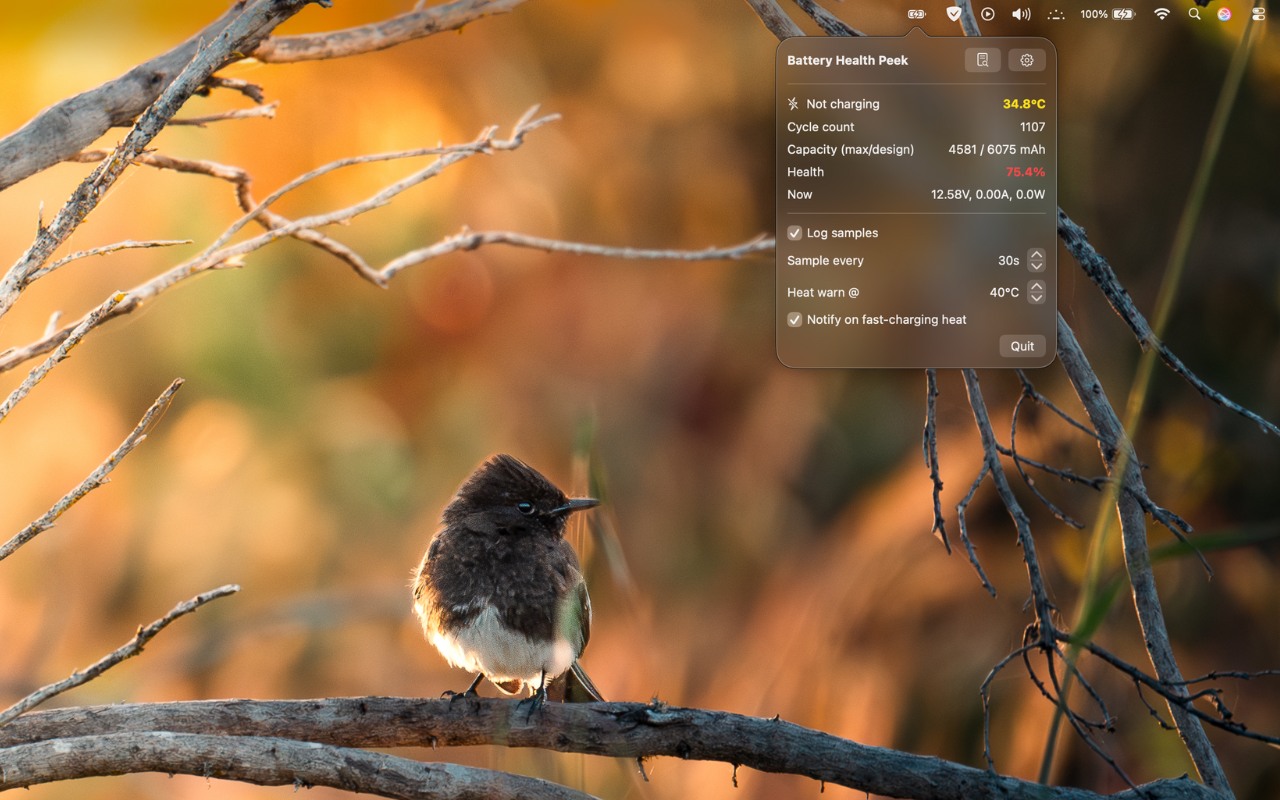
BatteryPeek menu bar app showing battery health metrics
BatteryPeek menu bar app screenshot
No sign-up required
Runs locally on your Mac.
Open source friendly
Inspect, verify, contribute.
Privacy-first
We don’t collect personal data.

Features designed for battery longevity

Instant Health Peek

Cycle count, maximum vs design capacity, and current wattage right in your menubar.

Trend Logging

Track capacity changes over time to spot degradation early.

Smart Alerts

Warnings for fast-charging and unhealthy charging patterns.

Lightweight

Built with SwiftUI for minimal CPU, memory, and battery overhead.

Apple Silicon Ready

Optimized for modern MacBooks, with Intel compatibility.

Open Development

Transparent roadmap and contributions welcome.

How BatteryPeek works

Local-only

All calculations happen on-device. No cloud processing or external servers.

System APIs

Uses macOS battery and power APIs to read cycle count and capacity safely.

Privacy by design

No analytics SDKs. Optional crash reporting can be toggled off.

Efficient

Samples intelligently to avoid draining your battery while monitoring it.

Screens

Actual screenshots from BatteryPeek.

BatteryPeek menubar app showing cycle count, capacity, wattage, and alerts
1 — Menubar app: quick peek at battery health.
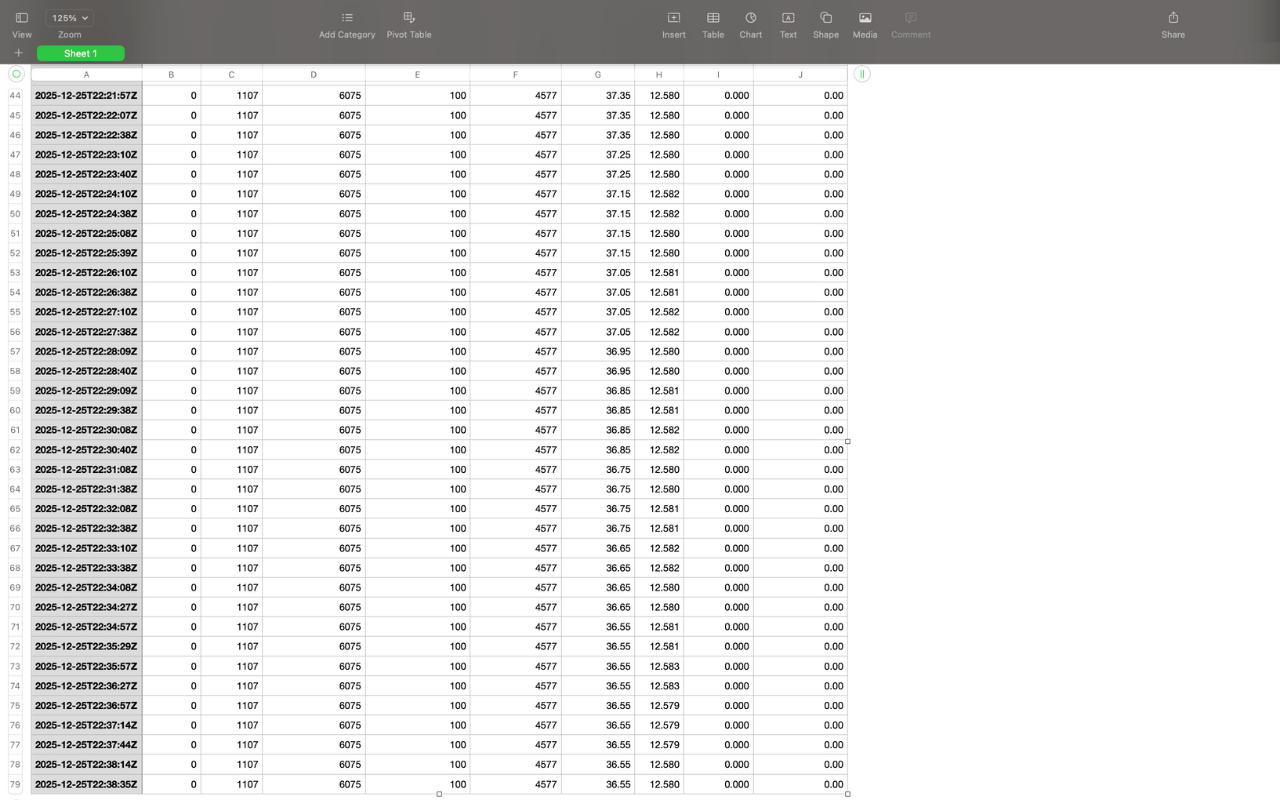
Battery health logs in the Apple Numbers app with capacity and cycle trends
2 — Logs in Numbers: track trends over time.
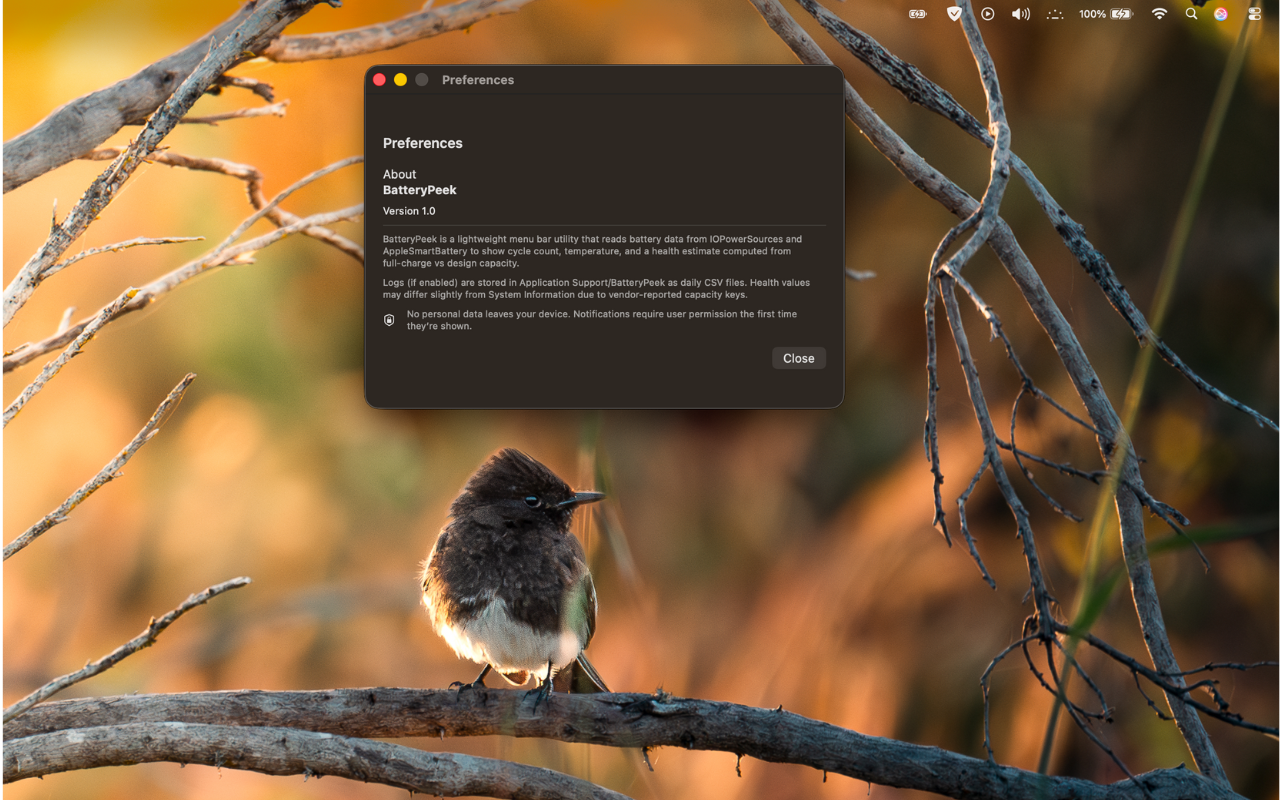
BatteryPeek About window with version and credits
3 — About section: version info and credits.

Get BatteryPeek

Available on the Mac App Store.